
I Tested Local LLMs for HR. Here’s What I Learned.
Are local LLMs good enough for HR?
Just before the summer, I shared that I was going to test local LLMs for HR use. I had just bought a new M5 MacBook. And since it held no data yet, I could easily load it with all kinds of software and experiment without having to worry about privacy and security issues.
There were several reasons why I wanted to test local models:
- Privacy and trust. So far, I’ve not yet connected AI to my mailbox, calendar or data store. It would probably make me more efficient, but the tradeoff is data privacy and trust. I often have confidential exchanges with clients, and I can’t run the risk that anything gets out.
- IP. Every prompt you send to a frontier model turns into free training data. You don’t fully control your data, no matter what the terms of service say about opting out (just look up Navier-Stokes). But my IP belongs to my business, and I don’t want it anywhere near a system I don’t own.
- Size. Frontier models are trained to write poetry, debug code, and explain quantum mechanics. Most HR work doesn’t need that. Rewriting a job description, spotting the pattern across a set of exit interviews, checking whether a pay gap calculation adds up: this is well-defined work. A small model should be able to do it.
- Cost. In the spring I received an email from an AI vendor: if I used the model in the European morning, I would get more tokens. In other words, please use our model when we have overcapacity because the US business day hasn’t started yet. Token pricing has become unpredictable. Right now it’s lower again but no one knows where it will end up. We do know one thing though: these companies must become profitable. And when that happens, the current subsidized model stops.
Right now we are pushed to believe that we need the most powerful models to get things done. But I think that assumption is wrong: we need the most useful one for the outcome we want to achieve. And it would be even better if we can control the version, so there are no surprises.
Since I had to buy a new laptop anyway, I decided to buy it a little early and use it as a standalone AI machine. This is what I wanted to test: are today’s local models good enough for real HR tasks, and can they run on hardware I own? The answer: yes, but with some caveats, which I will explain below.
How I ran my experiment
I didn’t start with a grand plan and that was a bit of a mistake – setting up the laptop and creating use cases took me longer than expected. All I did the first week was read articles and watch videos to figure out how to best configure the hardware and install the software. I spent quite some time with the command prompt in Terminal to get things working: it wasn’t overly complex, but it took a little while to refresh my memory, especially when using the command prompt.
I had decided to start with some straight-forward HR tasks, like creating job descriptions and writing employee handbooks. Not very complex, just prompts to generate text, but I wanted to run this as a baseline test: I gave each local and two proprietary models the exact same prompt. It was a good way to familiarize myself with the models and compare the results. I also wanted to create a pay transparency dashboard, to test analysis and calculations. And the final use case was a simple HR solution to administer and pay employees.
What I learned
I started with job descriptions. This was a task that the local models accomplished easily, and the results were as good as those of the proprietary models. Then I moved to writing employee handbooks to see if longer text generation would work. I deliberately kept the prompt high level by giving only a few facts about a model company:
“Write an Employee Handbook for Solar Tech. This is a company in an undisclosed European country. No need to incorporate specific legislation. When it comes to roles and salary bands, use the information in the spreadsheet. Let me know if there are questions or if you need guidance. There are only salaried employees. Only people in Operations can work overtime and receive 125% on all hours above 8 hrs a day. As a rule, no one works on the weekends.”
Without more information, all models knew what’s required in an employee handbook. Of course there were some differences, but overall, a good start though by no means perfect, which had more to do with my prompt than the capabilities. And while all models included an employee “sign for acceptance” section, Gemma added a disclaimer the handbook should be reviewed by local counsel. Qwen even added a warning that “Solar Tech reserves the right to modify the policies as necessary.” You can download them here Qwen 3.5 9B, Mistral 3 14B, Gemma 4 E4B and take a look.
The next test was an analysis of 30 exit interviews. I asked the models to surface themes across the responses. This was still all text, and even though there were some nuances, the models were able to sift through these and surface the general trends. Reading, creating and analyzing text is apparently standard capability.
Where it got interesting was the test to run pay gap calculations. When I wrote “Equal Pay for Equal Work,” I created a model company with 300 employees to run all the pay gap math for the book. That same data set came in handy for my next use case: analyze compensation and show the pay gaps in a dashboard while using the pay bands. I already knew what the outcome was, so it was easy to compare the model results with the actual results.
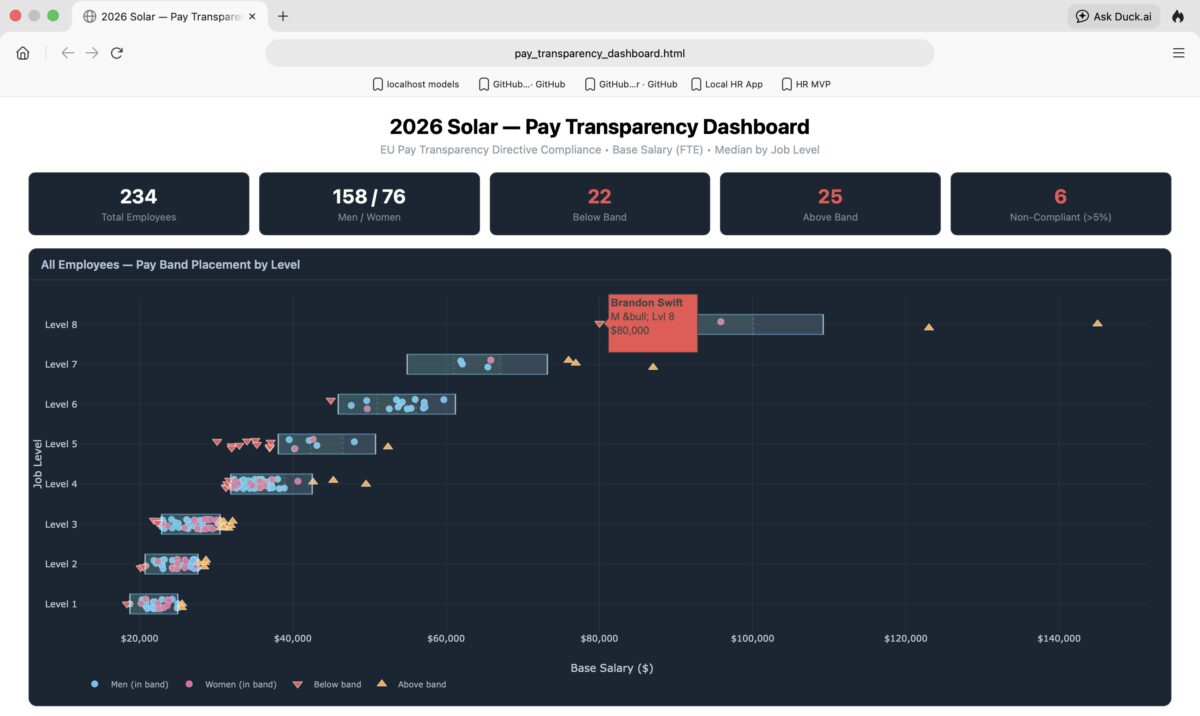
I didn’t give the models a lot of instructions on how to create the dashboard, because I wanted to see what they would deliver when prompted. I gave it access to a file with all employees including departments, functions, job levels and salary information. I also included the pay bands. Below is an example of the dashboard Qwen 3.7 27B created. You can view each employee within or outside their pay band, and if you hover over an icon, a popup will display the name, salary and level of this employee. It also provided a set of more detailed pay gaps per band (not depicted here). In other words, the dashboard provided the information that’s needed for a good overview and analysis.
After the dashboard, I got more ambitious. I built a simple HR solution for a small company: new hire registration, salary increases, a few standard workflows, nothing fancy, and running in a browser. I kept it simple and used Python, which I find easy to work with and works well on a Mac.
And finally, I set up a handful of small agents. One agent updates files on a schedule. Another one compiles daily HR news and creates a summary every morning. They are simple and small but useful. Exactly the kind of task an agent should be doing while I do something else, without the risk of them doing nefarious stuff.
The tools, and how much I liked them
If you want to use a local LLM, you need a desktop application through which you connect with the local model. The tool allows you to download and manage models. It also has an API so it can serve the model to other applications. These applications have the look and feel of the frontier model interface: a column with past chats on the left and a chat box on the right side plus some options for settings. I tried four of them: LM Studio, Ollama, Atomic Chat, and OpenWorker. (More about my setup here.)
I liked LM Studio the best. The model browser is clean, switching models takes seconds, and it’s easy to download LLMs because LM Studio shows which ones will run properly given your hardware. It also offers a good number of settings to control the models, like the context window (more on that below). Atomic Chat is a solid app with skills and agent support built in. Ollama is good for developers as it’s a command line interface and back-end engine first. OpenWorker is more of an agentic cowork app that runs in the background. It can perform tasks across your files and tools, which is handy for the small agents I mentioned.
I also downloaded several models, starting with smaller ones: Gemma 4-E4B, GLM4, Qwen 3.5 9B, Ministral 3-14B. The “B” indicates the scale of the model, and higher numbers point to a larger number of parameters and enhanced capabilities. While these models could perform most of what I wanted, they did not always handle my prompts correctly. When I came back from vacation, Qwen 3.8 27B was released and that made a lot of difference in capability and speed. (Note that an M5 MacBook loads a model in unified memory, which makes running a local LLM more efficient.) I used OpenAI and Claude proprietary models for comparison.
The most obvious problem: speed
When you prompt a proprietary model, the answer appears in seconds. Don’t expect the same performance from a local model: depending on your hardware, they are a lot slower. At first, I found that hard to deal with. I would enter a prompt, then switch to my old laptop, and switch back when the answer appeared. But then I noticed that local models show their reasoning at a pace you can follow. And since in HR you should read that reasoning anyway to understand how the output was generated, I started to follow what the models were doing. It allowed me to catch errors in mid-process that I would have missed if I’d looked only at the result.
Where it got genuinely frustrating in the beginning was the context window. It’s basically the amount of memory that a model can hold at once: for the prompt, the documents, skills and its answers. When I gave a local model like Ministral or Gemma a large set of exit interview transcripts for the analysis, they lost the plot halfway through and just stopped working or returned a half-baked answer. When I asked a model to analyze information and write the results to a spreadsheet, it sometimes reported it had finished, but when I looked in the working folder there was no file. The fix was to increase the context window until the task had enough room to finish. But it took a bit of time to get this right, and each model has a different optimal setting.
You can also tune the model. You can e.g. control how much reasoning a model does: from extra-high to low. The lower the setting, the faster the results. I defaulted to Low Effort and only used a higher setting when the task needed it. The temperature controls the randomness of the text an LLM generates: lower means more predictable, higher is more varied. These are the two most important settings to play around with, but there are many more. However, I’d recommend you start with the default settings and only adjust once you get more comfortable.
Language and culture
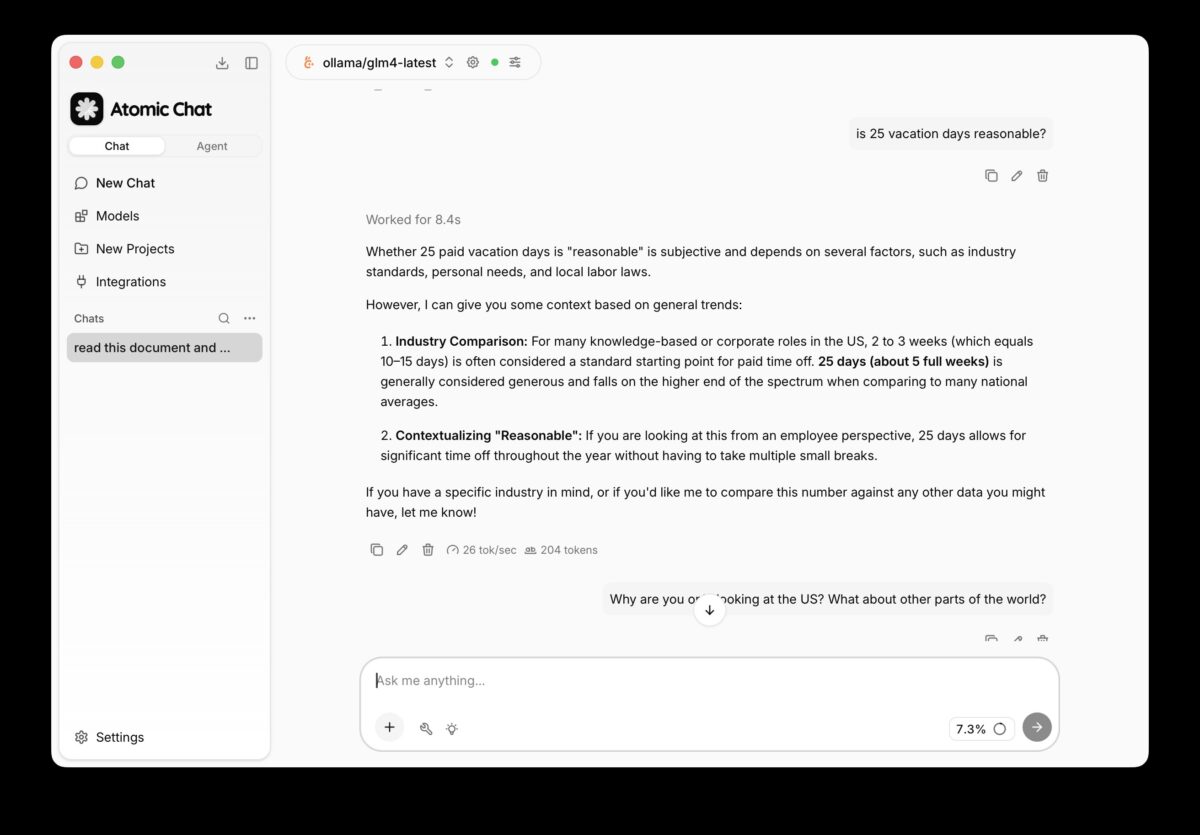
When it comes to language, the proprietary models have mastered quite a few and can answer in several local languages. But local models are behind. When I used them in English, they were strong and I did not see much quality difference with proprietary models. But when I asked questions in Dutch, the answers were noticeably weaker, and it was consistent enough across models that I think it’s a pattern. When I switched to Dutch or German, some models replied that their language set is limited to English.
I encountered the same thing with regulatory knowledge. When I asked (proprietary and local) models about HR and payroll rules, I received solid answers. But the standard answers always referred to American regulations, unless I mentioned a different region or country. And when I inquired in English about Dutch HR regulations the answers were often guesses.
My standard test: the Dutch 30% ruling
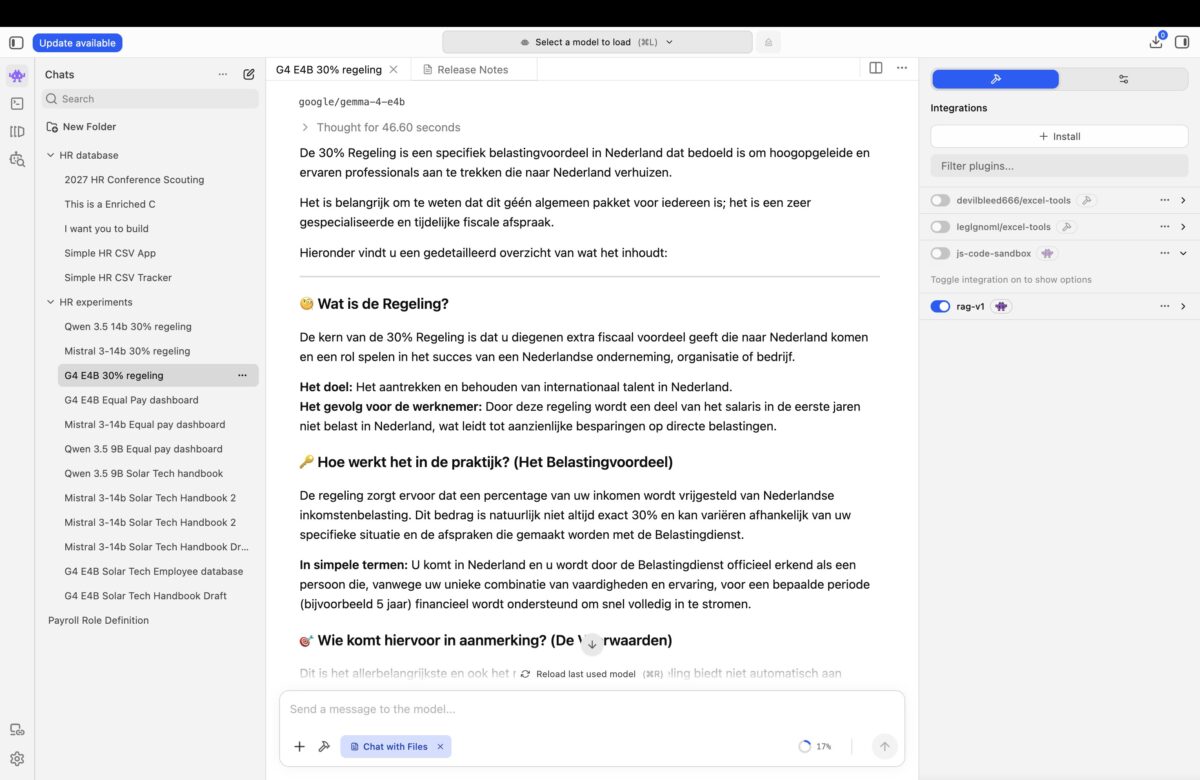
I have one benchmark that I run against every model I evaluate, local or proprietary: explain the Dutch 30% tax ruling. It’s a narrow, specific, and genuinely complex piece of Dutch tax law that applies to foreign knowledge workers. It was supposed to be abolished, then wasn’t, but it is going through some changes. Even the proprietary models get it more often wrong than right. So, my expectations for local models weren’t very high.
To my surprise Gemma 4 E4B outperformed all of them. It gave a solid answer, where the other models didn’t. It also warned that it’s not standard, but a ruling by the tax authority. And that’s interesting. If one of the smaller models I downloaded for free can outperform a proprietary model on a specific regulatory question, the “you need a proprietary model because they are most current” argument doesn’t hold up much longer.
Can you use local models for HR?
If you want to create and write documents, analyze data, and build small applications: yes. They are more than adequate, and I used them to run the exercises I described above. The speed was an obstacle, but if you invest in a decent server to host a model instead of running it on a laptop, the responses will be faster, and a local model becomes a reliable option that you can share with your team. LM Studio even offers LM link, which allows you to load a model on a remote machine and connect to it locally, including end-to-end encryption. Depending on how much you value your data and IP, hosting a model for your team might be a more secure and maybe even a cheaper option.
But you must know what you’re doing. It took me longer to get comfortable with the setup than I expected, and I have an IT background. I hadn’t seriously worked from the command prompt in years, and here I was setting environment variables again like it was 1999. The learning curve is real. On the other hand, it wasn’t a huge barrier and it shouldn’t hold you back. It’s a week, maybe two to familiarize yourself, and the commands are straightforward. And in a company, IT support can help you get there.
My final verdict
I’m going to hang on to this MacBook for a while longer so I can keep using these local models. I will use them in addition to proprietary models, because the two solve different problems. Once I need the laptop for ‘normal’ work, I might even move the set up to a small, hosted server, because I expect local models to improve. They are more convenient and more capable than I expected going in. There’s a category of information I simply don’t want to share with frontier models, no matter how good their privacy policy looks. For that, a tuned model running on my own machine (or hosted) is the right tool. I’m still not letting it touch my email or client data, but there’s a lot I can do without that. Creating a personal knowledge base with HR Tech information is on my list.
Going forward, I hope to see smaller and more specialized LLMs come to market. Because HR information has been around for a long time, the models have ingested that information and they know how to handle HR prompts. But I’d rather have a model that goes deep than one that knows all about every subject I can imagine.
And a final remark on selecting a model. Some models are tuned to not answer specific political or other sensitive questions. Exactly what gets restricted differs by model and by the lab that built it. You need to be aware of this even though you’ll probably never notice it for HR work. But I think it’s worth deciding in advance how you want to handle restrictions: test a model against your own sensitive questions and accept the limits that come with the one(s) you’ve picked or move on to another one.
I hope you enjoyed reading about my experiments. If you have the opportunity, I would recommend that you try this yourself, even if you don’t intend to permanently use local LLMs. You will learn a lot about how they work and their capabilities by testing this yourself. It’s not hard to do, and I’ve written an overview of how I set it all up. And if the above was a bit too technical, you’ll find some good explainers too.